
If you find yourself in the situation where a Certified Practitioner doesn't have access to your HBDI® Assessment, you can provide them with access in a couple of easy steps.
NOTE: "Share With My Practitioner" is not the same as "Grant Permission" in the Sharing tile on your Thinker Portal. Grant Permission will share your profile information with other individuals within your Organization.
Login to your Herrmann Thinker Portal:
https://journey.herrmannsolutions.net/thinker
Then look for the option: Share With My Practitioner
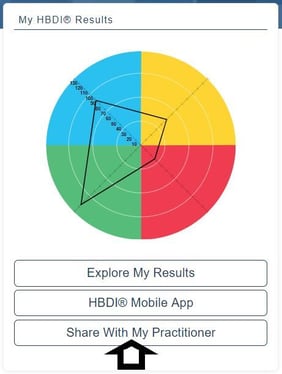
Once you click on this button you'll see a list of the Herrmann® Assessments you've completed. Click Share next to the one you'd like to make available to your Certified Practitioner.
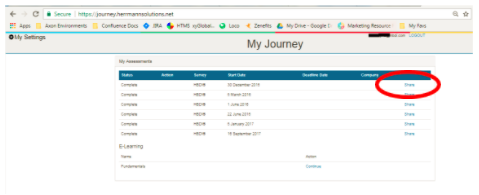
When you click Share a box opens like this:
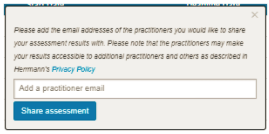
Type in the email address of the Practitioner you would like to share your assessment with, and then click the Share assessment confirmation.
Herrmann® checks to be sure that the email address entered is linked to a Certified Practitioner with the proper permissions. If so, an confirmation box appears:
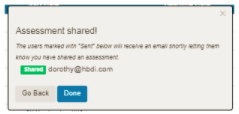
Or an alert is displayed if the email address is not linked to a Certified Practitioner with access to the Practitioner side of the Herrmann Platform:
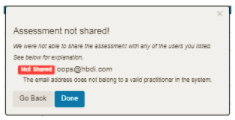
In this case, you'll need to verify you entered the correct email address, or you can contact the Practitioner for further instructions.
Need help? Please submit a ticket.