
As a Certified Practitioner, you can use the Download Report feature to audit invitations and track Thinker seats. Use these reports to identify seats that have not been consumed and return them to your license, providing you with a clear view of your total available seats.
Note on Seat Management: If the Seat Activity report shows a seat is not yet "Consumed," it can be returned to your license to increase your available seats for future invitations.
Accessing the Download Reports feature
-
Navigate to https://auth-st.herrmannsolutions.net/signin and login to your account.
-
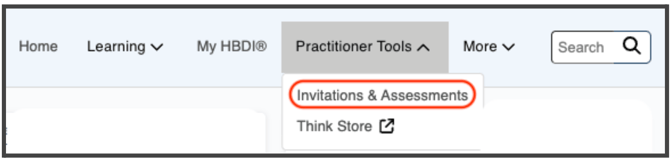
In the top navigation bar, click Practitioner Tools, then select Invitations & Assessments from the dropdown.
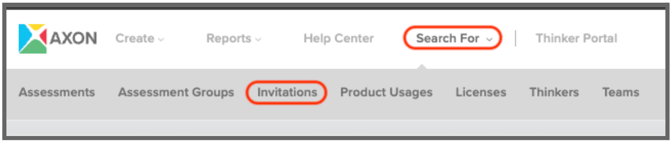
- Navigate to Search For and select Invitations.
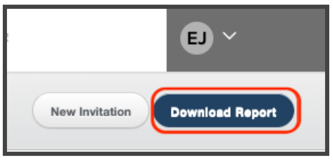
- Click the Download Report button.
- Select one of the two report options:
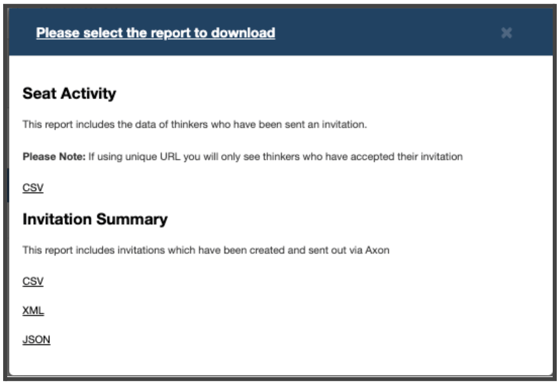
Report Options
Seat Activity (CSV)
-
Purpose: An audit of individual Thinkers who have been sent an invitation with statuses of Assigned, Invited, Accepted, or Consumed.
-
Select Data Included: Name, email, status, diagnostic name, invited by, data role, memo, and timestamps (Created/Completed).
Invitation Summary
-
Purpose: A high-level overview of invitations in your data base.
-
Data Included: Invitation name, seats allocated, date created, updated, deadline, data role, license, and owner.
💡 Tip: If you need to manage seats on a specific license, use the Seat Activity (CSV) report. It gives you a detailed view of each Thinker's invitation status — making it easy to identify any seats that haven't been consumed and return them to your license.